
Render on your own GPU server.
Without the terminal.
Connect a rented GPU server or any Linux machine to Smoozy and handle Blender renders from a desktop app instead.
Start your 7-day free trial
How Smoozy works
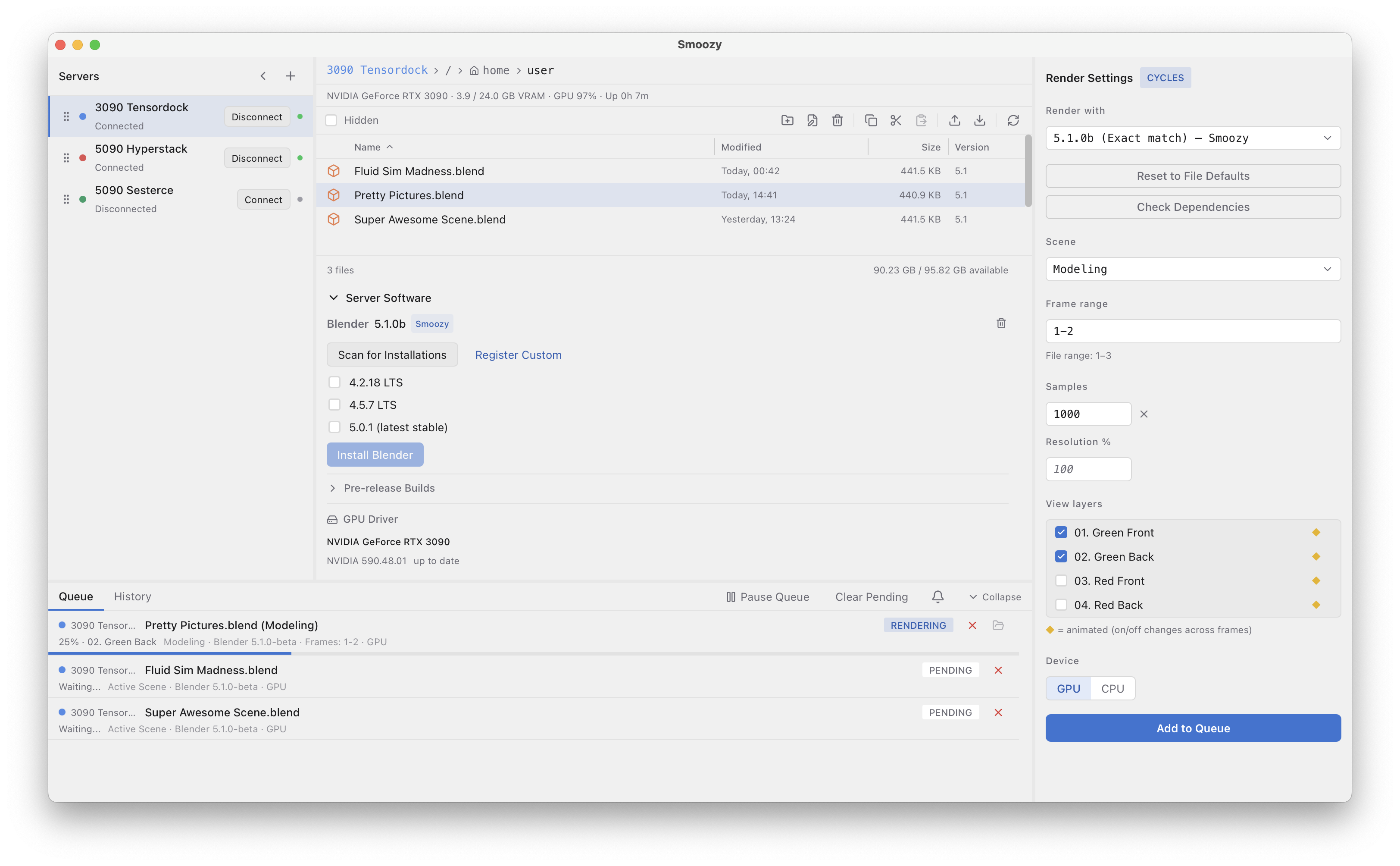
Multiple Blender versions. Ready to install.
Install current LTS versions, the latest stable or a daily build with one click. GPU drivers can be installed during setup — no terminal required.
Control key render settings.
Choose the scene to render, override sample counts, and control view layer visibility. Smoozy reads your .blend file and exposes the settings you're most likely to adjust.
Upload dependencies once.
Textures, HDRIs, volumes, and other external files can stay on the server. Update your .blend file without re-uploading large asset libraries.
Renders keep running after you disconnect.
Submit a job and close the app if you want. The queue runs on the server and continues processing until it finishes.
Sequential rendering per server.
Queue multiple renders and they run sequentially on that server. Jobs aren't distributed across machines — each server processes its own queue.
Auto-download as they finish.
Never sit around waiting for files. Smoozy can automatically download renders in the background the moment they're ready. Configurable per job and by file format.
See it in action
Simple pricing
€25
One-time purchase
Includes a 7-day free trial